March Madness Fan Guide: Stay Charged All Tournament Long

Every March, 68 college basketball teams enter a single-elimination gauntlet that captivates the entire country — and March Madness 2026 is shaping up to be one of the most exciting tournaments in recent memory. Whether you're planning to attend games in person, host a watch party, or track every upset from your couch, this guide covers everything you need to know to get the most out of the tournament. From navigating the March Madness 2026 schedule and picking the right streaming apps to knowing exactly what to pack for an arena game, consider this your all-in-one playbook for surviving — and thriving — through all six rounds of college basketball's biggest event.
The tournament runs from the First Four play-in games in mid-March all the way through the national championship in early April. That's nearly three full weeks of basketball, with dozens of games sometimes airing simultaneously. Staying organized, connected, and prepared is genuinely half the battle. Let's break it all down.
How to Watch Every March Madness Game in 2026
One of the best things about March Madness is that CBS and Turner Sports share broadcast rights, which means games are spread across four TV networks — CBS, TBS, TNT, and truTV — and several streaming platforms. Here's how to make sure you never miss a tip-off.
Television: If you have a cable or satellite subscription, you already have access to all four channels. The first weekend of the tournament is particularly packed, with as many as eight games airing across the four networks simultaneously on Thursday and Friday of the opening rounds.
Streaming with March Madness Live: The official NCAA March Madness Live app and website (MarchMadness.com) offer live streaming of every game. CBS games are available free with a brief cable-free preview window each year before requiring authentication. TNT, TBS, and truTV games require a cable login or a live-TV streaming subscription.
Live TV Streaming Services: Services like YouTube TV, Hulu + Live TV, DirecTV Stream, and FuboTV all carry CBS, TBS, TNT, and truTV. If you've been meaning to subscribe for another reason, the tournament is a great excuse. Most offer free trials that can cover the first weekend entirely.
Paramount+ and Max: CBS games are available on Paramount+ (with the Paramount+ with Showtime plan), while Turner network games stream on Max. Having both apps downloaded is smart if you want flexible viewing across devices.
Pro tip: Download the March Madness Live app before the tournament starts and set up team alerts. The app lets you jump between live games with a single tap, which is invaluable during the chaotic opening rounds when buzzer-beaters seem to happen every twenty minutes.

Best Bracket Apps and Tools for 2026
Filling out your bracket is one of the great American sports rituals, and the apps available today make it easier than ever to track your picks, compete with friends, and follow every game result in real time. Here are the platforms worth using this year.
ESPN Tournament Challenge: The most popular bracket game in the country by a wide margin. ESPN's platform lets you create or join groups, set custom scoring rules, and view national standings. The ESPN app also delivers push notifications for game results, so your bracket updates automatically without you having to do anything.
NCAA March Madness Live App: Beyond streaming, the official NCAA app includes a built-in bracket tracker that syncs with your ESPN or CBS Sports account. It's the most visually polished bracket experience available and the one most useful if you're attending games in person.
CBS Sports: CBS Sports runs its own bracket challenge called Bracket Games. The interface is clean and the integration with CBS's live scores means your bracket updates in real time as games finish. The CBS Sports app also has excellent score notifications and a game-center view that shows current scores across all active games simultaneously.
Yahoo Sports: Yahoo's bracket challenge is underrated. It lets you run private groups with friends and has one of the smoothest mobile interfaces for bracket tracking. The Yahoo Sports app also aggregates news, injury updates, and analysis in a single feed — useful for making late-entry decisions if your tournament pool allows changes through the First Four.
Google's March Madness Hub: Simply searching "March Madness bracket" or "March Madness 2026 schedule" in Google surfaces a built-in tournament hub with scores, schedules, team information, and a simplified bracket view. It's not a game you can join, but it's the fastest way to check a score when you're in the middle of something else.
Game Day Essentials: What to Bring to March Madness in Person
Attending a March Madness game in person — particularly the first and second rounds, which are held at regional arenas across the country — is one of the best sports experiences available. The atmosphere is electric, the crowds are genuinely mixed (fans of four different teams may be in the same building on the same day), and the stakes feel immediate in a way no watch party can fully replicate. But showing up without the right gear can turn a great day into a frustrating one.

Here is what to bring and what to be aware of before you walk through the arena doors.
Bag Policy — Know Before You Go: The NCAA enforces a clear bag policy at tournament venues. Fans are permitted one clear bag (no larger than 12" x 6" x 12") or one small non-clear clutch (no larger than 4.5" x 6.5"). This is strictly enforced at every venue. Bringing a backpack or large purse will result in it being turned away at the gate, so plan your packing around this constraint.
Digital Tickets: Virtually all tournament venues now use mobile ticketing exclusively. Your ticket will be a barcode in the venue's app or your Apple/Google Wallet. Make sure you've downloaded and loaded your tickets before you leave home — arena Wi-Fi is often overwhelmed near gate opening times, and you do not want to be standing at the door with a buffering screen.
Team Gear: Jerseys, T-shirts, hats, and foam fingers are all welcome. Face paint is generally fine. Just check your specific venue's policy on noise-makers — some arenas restrict thundersticks and air horns.
Cash and Cards: Most tournament venues are cashless or predominantly cashless. Bring a debit or credit card. Some venues have cash-to-card kiosks at the entrance if you arrive with only cash.
Layers: Indoor arenas run cool, even in late March. Bring a light jacket or hoodie that can stuff into your clear bag if you warm up during the game.
A Portable Charger: This one deserves its own section — and gets one below — but the short version is this: your phone will take a beating on game day. Between digital tickets, bracket apps, photo-taking, social media, and navigation between venues (first-round sites often host two separate sessions in a single day), a portable charger is not a luxury at an all-day tournament event, it is a necessity. Pack one that fits within the clear bag policy and make sure it's charged the night before.
Staying Connected During Games: Why Your Phone Battery Matters More Than You Think
Most fans don't think about phone battery until they're already at 12% with two hours left in a double-overtime thriller. At a March Madness game, your phone is working harder than it does almost anywhere else, and it's doing several things at once.
Digital tickets: You need a functioning, bright screen and a scannable barcode just to get in the door. If your phone dies in the parking lot, you may not be getting in at all.
Live bracket tracking: First and second round venues often host two separate games in the same day. While you're watching one game, results from five or six other games are rolling in simultaneously. Every update to the bracket is happening in real time on your phone. Refreshing score apps and checking standings is a constant low-level battery drain.
Photos and video: The moments at a live tournament game — a game-winning shot, the student section rushing the court, the reaction of fans around you — are worth capturing. Modern smartphone cameras, especially in sport or burst mode, are significant battery consumers.
Navigation and rideshare: Getting to and from downtown arenas, finding parking, calling a rideshare after the game — all of it runs through your phone. A dead battery at 11 PM in an unfamiliar city is a real problem.
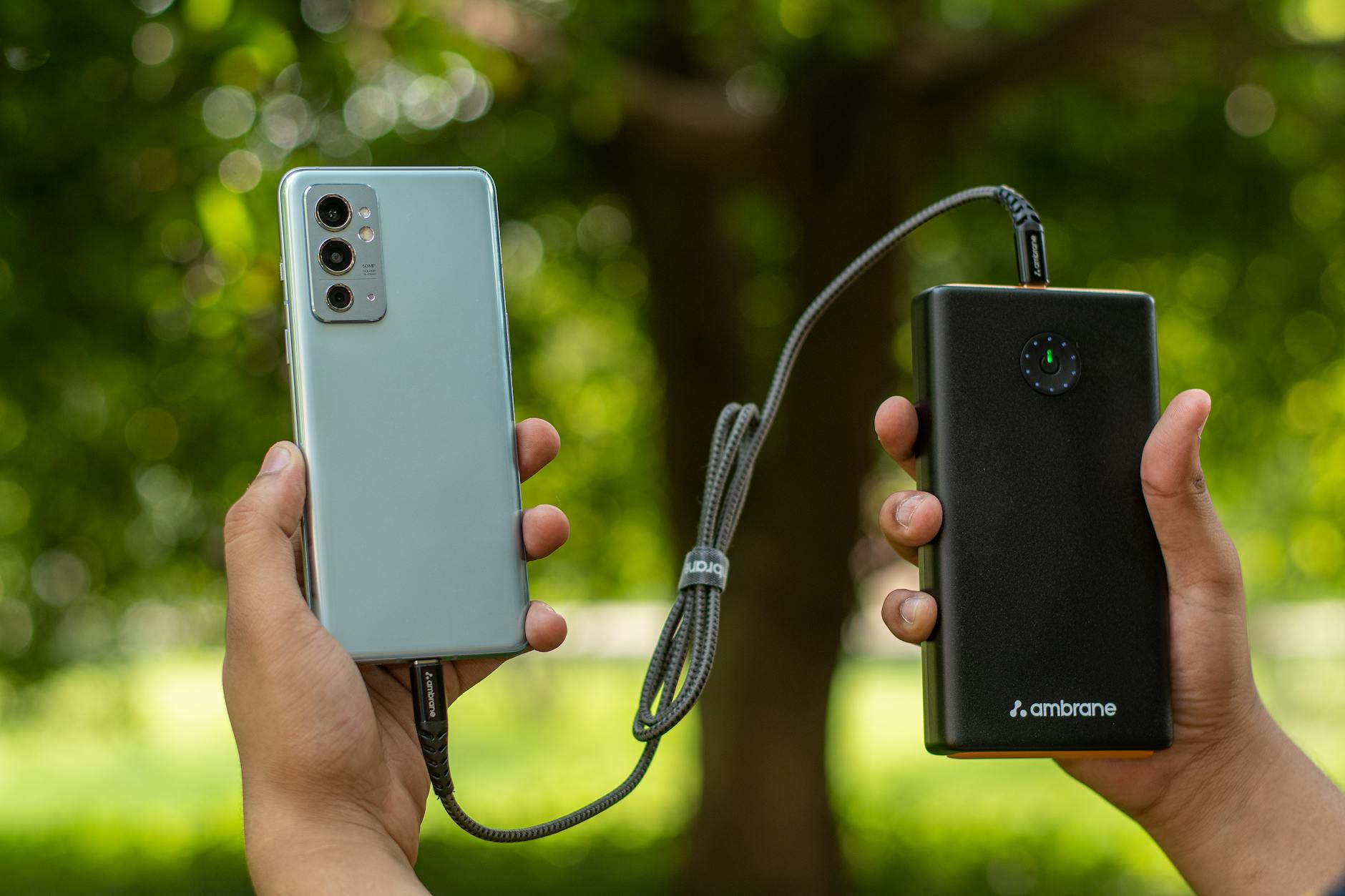
The solution most seasoned tournament attendees rely on is a portable charger — specifically a compact, high-capacity power bank that fits easily inside a clear bag. Look for a model that can deliver at least one full charge to a modern smartphone (10,000 mAh is a reasonable baseline for a full day), uses USB-C for faster charging speeds, and is TSA-approved for carry-on luggage if you're flying to a venue. Keep it charged the night before every game day and keep the charging cable in your bag at all times.
Many first-round venues also provide public charging stations in common areas. These exist, but they fill up fast during intermission and between games. Relying on them exclusively is a gamble. Your own portable charger puts the power — literally — in your hands.
Watch Party Tips for Fans at Home
Not everyone can make it to an arena, and honestly, watching from home has its own advantages: multiple screens, no bag policy, your own food, and the ability to flip between games instantly. Here's how to make your home setup worthy of the biggest college basketball event of the year.
Set up a multi-screen situation: During the opening rounds, games run simultaneously on four different channels. A TV plus a laptop or tablet gives you the ability to follow two games at once without missing anything. The March Madness Live app on a tablet is perfect for the "second screen" role.
Create a bracket command center: Print your bracket or pull it up on a dedicated tablet. Designate one screen exclusively for bracket tracking so you can see in real time how your picks are holding up — or falling apart — while the games play out.
Invite fans of different teams: The best watch parties involve people rooting for different schools. It creates genuine tension and makes every result feel meaningful, even for games your bracket has already dismissed.
Plan food around game windows: The first-round Thursday and Friday schedule typically runs from about noon to midnight Eastern. That's a long viewing day. Plan a midday snack spread, a dinner break around 6-7 PM, and something light for the late games. Ordering delivery works well for the dinner break — just time it to arrive between games rather than during a tense final few minutes.
Use the NCAA app for alerts: Even at home, push notifications from the March Madness Live app mean you'll never miss a last-second result on a game you're not actively watching. Set alerts for every game in your bracket.
Make it a whole-tournament tradition: The second weekend — the Sweet 16 and Elite Eight — is often more dramatic than the first, and the Final Four weekend is appointment television. Schedule your watch parties across the full tournament, not just the opening rounds.

Key Takeaways: Your March Madness 2026 Checklist
Whether you're heading to an arena or setting up a watch party at home, March Madness rewards the fans who prepare. Here's a concise checklist to bookmark before tournament week begins.
For In-Person Attendees:
- Download and load your digital tickets before leaving home
- Pack a clear bag (12" x 6" x 12" max) — no backpacks allowed
- Bring a portable charger with at least 10,000 mAh capacity, fully charged
- Carry a USB-C cable and know your phone's connector type
- Check the specific venue's prohibited items list before arrival
- Download the March Madness Live app and set game alerts
- Bring layers — arenas are cold regardless of outdoor temperatures
- Confirm cashless payment methods are loaded on your phone or card
- Have your rideshare app ready and a backup plan for getting home
For Watch Party Hosts:
- Subscribe to a live TV streaming service that carries all four tournament networks
- Download the March Madness Live app on a tablet for the second-screen experience
- Set up your bracket on ESPN, CBS Sports, or Yahoo before Selection Sunday
- Enable push notifications for every game in your bracket
- Plan food around the four game windows across the day
- Invite fans of multiple teams for maximum drama
For Bracket Players:
- Join your pools before tip-off of the First Four — most lock at that point
- Research recent conference tournament results before finalizing picks
- Don't ignore the 5-vs-12 matchups — historically one of the most upset-prone seed lines
- Set realistic expectations: the odds of a perfect bracket are essentially zero, so focus on outscoring your group
- Check injury reports through Selection Sunday and the days before First Round games
The March Madness 2026 schedule gives fans nearly three weeks of elite college basketball to enjoy. Whether your team is a one-seed with national title expectations or a sixteen-seed hoping to pull off the upset of the decade, the tournament has a way of making every game feel monumental. The more prepared you are going in — with the right apps downloaded, the right gear packed, and your bracket submitted — the more you'll be able to simply enjoy the chaos as it unfolds.
Good luck with your bracket. And keep your phone charged.