Travel Tech Packing List: What Gadgets Are Worth It
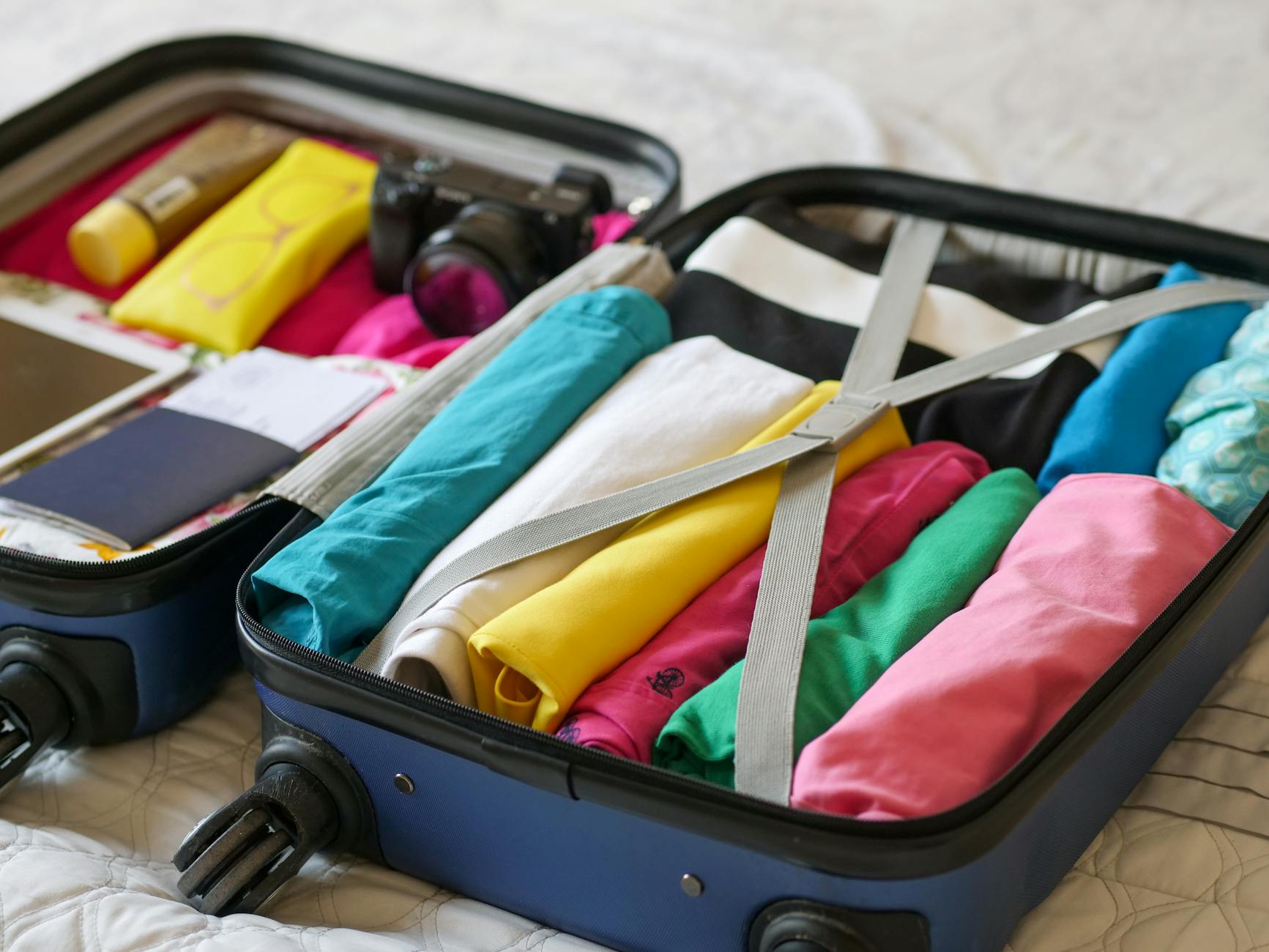
You've booked the flight, sorted the accommodation, and mapped out the itinerary. Then comes the moment every traveler dreads: staring at a pile of gadgets on the bed wondering what actually earns its place in the bag. A solid travel tech packing list isn't about bringing everything you own — it's about bringing exactly what you'll use, in a form that clears security without friction and keeps you powered from departure gate to hotel room.
The tech industry has accelerated fast enough that travel gadgets 2026 look meaningfully different from even two years ago. Chargers are smaller and more capable. Headphones last longer. E-readers are lighter than a paperback. But that abundance is exactly what makes packing harder: the options are endless, the weight limits are real, and the TSA bin waits for no one.
This guide cuts through the noise. Whether you're heading out for a long weekend or a month-long international trip, here's a clear-eyed look at what tech to pack for travel — what's non-negotiable, what's situational, and what you can safely leave at home.
The Minimalist Tech Packing Philosophy
Before building your list, it helps to adopt a single governing principle: every piece of tech you pack must perform at least two jobs. A device that does one thing well but only one thing is a luxury. A device that handles three things earns its weight.
Your phone is the perfect example. In 2026 it functions as your camera, navigation system, boarding pass, translation app, e-wallet, and communication hub. It's the one device almost no traveler leaves behind — and it serves as the benchmark everything else gets measured against. Before tossing something in the bag, ask: does my phone already do this adequately? If the answer is yes and quality isn't the deciding factor, leave it behind.
A second principle: pack for where you're going, not for where you wish you were going. Business travel has different demands from beach travel. Domestic trips have different constraints from international ones. The tech list that worked in Lisbon may be overkill for a long weekend in a neighboring city. Tailor accordingly.
Essential Tech: What Always Makes the Cut
These are the items that belong on every travel tech packing list, regardless of trip type or duration.
Your Smartphone
Non-negotiable. Make sure it's unlocked (for international SIM cards), updated (so apps work correctly), and that you've downloaded offline maps, your airline app, and any translation tools you'll need. Download Netflix or Spotify content before you leave — airplane Wi-Fi is unreliable and rarely fast enough for streaming.
Noise-Canceling Headphones
If there's one carry on tech essential that genuinely transforms long-haul travel, it's a pair of active noise-canceling headphones. The cabin noise on a long flight sits around 85 decibels — roughly the equivalent of a busy restaurant — for hours on end. Good ANC headphones drop that to a murmur, which means better sleep, less fatigue, and far more focus if you're trying to work.
Over-ear models offer the best noise isolation; true wireless earbuds with ANC are the more compact alternative. Either way, look for at least 20 hours of battery life so you're not hunting for a charge mid-flight. Most fold flat for easy storage.
E-Reader
An e-reader may be the most underrated travel gadget on this list. A single device holds thousands of books, weighs under 200 grams, and has a battery that lasts weeks — not hours. The e-ink display is readable in direct sunlight in a way no phone or tablet screen can match, which matters on beach trips or outdoor travel days.
If you're a reader and you're not traveling with an e-reader, you're either carrying heavy paperbacks or staring at a backlit phone screen when your eyes are already tired. Neither is ideal.
Portable Charger (Power Bank)
Covered in depth in the charging section below — but it's essential enough to name here explicitly. A portable charger is not optional in 2026. It belongs in your day bag every single day of any trip.

Nice-to-Have Tech: When to Pack It
These devices are genuinely useful — but only in the right context. If the criteria below don't apply to your trip, they stay home.
Laptop
Pack a laptop if you will actually need to produce work — not consume it. Watching a movie, reading email, and scrolling social media do not require a laptop in 2026. If your phone and tablet (or e-reader) cover your consumption needs, a laptop adds weight and TSA friction for no return.
If you do bring one, a 13- or 14-inch model is the sweet spot for portability. Anything larger starts to feel punishing by the second transit of a multi-leg journey. A sleeve or lightweight case protects the screen without adding the bulk of a full laptop bag.
Tablet
Tablets occupy an awkward middle ground in the travel tech ecosystem. They're better than phones for video and reading, but worse than laptops for real work. The scenario where a tablet is genuinely the right choice: families traveling with children (the screen size makes kids' content far more manageable), or travelers who want a larger reading/viewing surface without the weight of a laptop.
If you're already bringing an e-reader and a laptop, the tablet is almost certainly redundant. Two of those three is usually enough.
Dedicated Camera
Modern smartphone cameras are excellent. A dedicated mirrorless or DSLR camera earns its bag space only if you're a serious photographer or the trip's primary purpose involves photography. The gap in image quality between a current flagship smartphone and a mid-range dedicated camera is smaller than most people expect, and a camera body with a lens is a substantial weight and size commitment.
A travel-sized point-and-shoot is a reasonable compromise: meaningfully better low-light performance than most phones, pocketable enough to carry daily without thinking about it.

Power and Charging Strategy
Nothing disrupts a trip faster than a dead device. Building a reliable charging strategy is one of the most practical — and most overlooked — parts of any travel tech packing list.
Why Portable Chargers Are Non-Negotiable
Airport outlets are scarce and often occupied. Hotel rooms rarely have enough plugs. City exploration means hours away from any power source. A portable charger — also called a power bank — is the single highest-utility piece of charging equipment you can carry.
For most travelers, a 10,000mAh power bank provides two to three full phone charges and weighs around 200 grams. Heavier users or those carrying multiple devices may want a 20,000mAh unit, which can handle a phone and tablet over a full day. The tradeoff is weight: larger batteries are heavier and bulkier, so match capacity to actual need rather than worst-case anxiety.
TSA Rules for Lithium Batteries
This is the single area of TSA approved electronics rules that trips up the most travelers. Power banks contain lithium-ion batteries, and the rules are firm: portable chargers must travel in your carry-on baggage — never in checked luggage. This applies regardless of size.
The specific limits are:
- Under 100Wh (watt-hours): Permitted in carry-on without airline approval. This covers the vast majority of consumer power banks.
- 100Wh to 160Wh: Permitted in carry-on with airline approval — check with your specific carrier in advance.
- Over 160Wh: Not permitted on passenger aircraft.
To find your power bank's watt-hour rating, look for "Wh" printed on the device label. If only milliamp-hours (mAh) and voltage (V) are listed, use the formula: Wh = (mAh ÷ 1000) × V. A 10,000mAh bank at 3.7V equals 37Wh — well within limits. A 20,000mAh bank at 3.7V equals 74Wh — still compliant.
Airlines may also have their own, more restrictive policies. Checking the carrier's website before you fly takes two minutes and can save an embarrassing conversation at the gate.
Multi-Tip and Built-In Cable Chargers
One of the most practical upgrades in travel gadgets 2026 is the shift toward chargers with multiple built-in tips or short built-in cables. Traditional charging setups require one cable per device — a phone cable, a tablet cable, a laptop cable, possibly an earbuds cable — which creates a tangled mess at the bottom of any bag.
Chargers with built-in retractable tips eliminate that friction. One compact unit handles USB-C, Lightning, and Micro-USB connections without separate cables. Some power banks include built-in cables for the same reason. The result is a dramatically smaller cable footprint that's easier to pack, faster to access, and nearly impossible to forget at a hotel bedside table.
If you prefer a separate wall charger, a GaN (gallium nitride) charger with multiple USB-C ports delivers the fastest charging speeds in the smallest physical footprint — often smaller than a single-port charger from five years ago.
International Travel: Voltage, Plugs, and Adapters
International travel adds two layers of complexity: plug shape and voltage. The United States uses Type A plugs (two flat pins) and 120V electricity. Most of Europe uses Type C or F plugs at 220–240V. The UK uses Type G. Japan uses Type A at 100V.
The good news: almost every modern device — laptops, phone chargers, camera chargers — is rated for 100–240V universal input, meaning they handle any voltage automatically. Check the small print on your charger brick; it will say "Input: 100–240V" if it's universal. The only thing you need in that case is a physical plug adapter, not a voltage converter.
A universal travel adapter — a single unit with swappable plugs covering 150+ countries — is a smarter purchase than a collection of country-specific adapters. Models with built-in USB ports mean you can charge additional devices without extra plug adapters.
Charging Multiple Devices with Limited Hotel Outlets
Most hotel rooms have two to four accessible outlets, often in inconvenient locations. A compact travel power strip with USB ports solves this immediately: plug it into one outlet, charge four to six devices simultaneously. Check that your travel power strip is rated for international voltages before using it abroad.
Some travelers use their multi-port wall charger as the anchor point, charging two phones and a tablet overnight from a single outlet. The key is knowing your setup before you arrive rather than discovering outlet scarcity at midnight when devices are dead.

TSA-Approved Electronics Guide
Understanding TSA approved electronics rules before you reach the checkpoint is one of the easiest ways to make airport security faster and less stressful. Here's what you need to know.
Laptops and Large Electronics
Laptops must be removed from bags and placed in a separate bin for X-ray screening at standard checkpoints. This is the rule that slows most travelers down — if your laptop is buried at the bottom of a packed bag, you'll hold up the line unpacking it. Keep your laptop near the top of your carry-on or in a dedicated sleeve that slides out easily.
TSA PreCheck members are exempt from this requirement and can leave laptops in their bags. If you fly regularly, enrollment in PreCheck (or Global Entry, which includes PreCheck) is one of the highest-value travel investments you can make.
Other Electronics
Tablets, e-readers, and cameras may need to be removed depending on the checkpoint and how your bag looks on the X-ray screen. Some travelers remove them proactively to avoid delays; others leave them in and accept the occasional secondary screening. Standard checkpoint rules technically only require laptops to be removed, but TSA officers can ask for any device.
Liquids and Electronics Accessories
Batteries, memory cards, cables, and adapters are all fine in carry-on luggage with no special restrictions. Spare (loose) lithium batteries — including phone batteries not installed in a device — must travel in carry-on, not checked bags. Power banks follow the same rule as described in the charging section above.
Cable Management and Organization Tips
Cables are the chronic disorganization problem of every tech-heavy bag. A few simple habits prevent the tangled mess that costs you five minutes of untangling every morning.
Use cable organizers or a dedicated tech pouch. A flat zippered pouch keeps all cables, adapters, and small electronics in one place that can be lifted out of your bag as a single unit. At security, this is the entire tech layer — one item out, one item back in.
Wrap cables properly. The over-under wrapping technique (alternating the direction of each loop) prevents cables from developing kinks and memory that leads to tangling. For shorter cables, a small velcro tie or cable clip keeps the wrap secure.
Only bring the cables you actually need. Audit before every trip. If you don't have a device that uses it, the cable stays home. A USB-C to USB-C cable, one USB-A to USB-C cable, and a short wall adapter cover the vast majority of modern devices. Some travelers have eliminated separate charging cables entirely by using power banks with built-in cables.
Label or color-code cables if you're traveling with a partner or family. Identical black USB-C cables look the same until someone grabs the wrong one at the end of a hotel stay.
Travel Tech by Trip Type
No single tech list works for every journey. Here's how the calculus shifts by trip type.
Business Travel (Domestic)
Laptop is essential. Noise-canceling headphones for focus in open offices or on planes. Power bank for long meeting days away from outlets. A compact multi-port charger to handle everything overnight. Skip the tablet, camera, and e-reader unless the trip extends beyond three days.
Leisure Travel (Domestic)
Phone, noise-canceling headphones, power bank, and e-reader cover most leisure trips. A laptop is optional unless remote work is planned. If the trip involves significant outdoor activity, a rugged or waterproof phone case is worth more than any additional gadget.
International Travel
Everything above, plus a universal travel adapter (essential), an international SIM card or portable Wi-Fi hotspot if your phone plan doesn't cover the destination, and potentially an unlocked phone if your carrier doesn't support international roaming. Double-check that all chargers are rated for 100–240V input before departure.
Long-Haul Flights
Noise-canceling headphones become even more essential. Download entertainment content before boarding — don't rely on in-flight Wi-Fi. A neck pillow (not a gadget, but worth mentioning) and a sleep mask pair with the headphones to make overnight flights survivable. Make sure your power bank is charged and in your day bag before boarding.

Final Tech Packing Checklist
Use this as your pre-departure reference. Items marked as essential belong on every trip. Items marked as situational require a deliberate reason to include.
Always Pack (Essentials)
- Smartphone (charged, updated, offline content downloaded)
- Noise-canceling headphones with charging cable
- Portable power bank (carry-on only, under 100Wh)
- Wall charger (GaN multi-port recommended)
- USB-C cable(s) — one per device type you carry
- E-reader (loaded with books and offline content)
Pack If the Trip Demands It (Situational)
- Laptop (business travel or extended remote work)
- Tablet (families, or if replacing laptop for light use)
- Dedicated camera (photography-focused trips)
- Universal travel adapter (all international trips)
- Travel power strip (multiple devices, limited outlets)
- International SIM or portable hotspot (international travel)
Organization Essentials
- Zippered tech pouch for cables, adapters, and small items
- Cable ties or velcro wraps
- Laptop sleeve (if carrying a laptop)
- TSA PreCheck enrollment (invest once, benefit every trip)
Key Takeaways
A well-built travel tech packing list is defined less by what it includes and more by what it excludes. The travelers who pack best are not the ones who bring the most — they're the ones who've thought clearly about what they'll actually use, day by day, in the specific context of where they're going.
Start with the four essentials — phone, noise-canceling headphones, portable charger, e-reader — and build outward from there only when the trip genuinely demands it. Put your charging strategy together before you leave, not when you arrive at a hotel with four devices and two outlets. Know the TSA rules for power banks so you're never scrambling at the checkpoint. And invest in a tech pouch: it's the simplest habit that makes every transit, every hotel check-in, and every security line meaningfully smoother.
The best travel gadgets 2026 have one thing in common: they earn their weight. Hold each device to that standard, and your bag will thank you every step of the journey.